 Planvyra
A home for every project
Boards, lists, and calendars keep the big picture and the next step together.
Bring your team and compatible AI agents into one workspace.
Connect through MCP, track every task, and hand AI work to your team for review. Start for free.
Open to everyone · No credit card to get started
Good work happens everywhere.
Give it a place to come together.
A CLEARER PICTURE
Give every idea a next step, every task an owner, and everyone a view that makes sense.
A fresh perspective, just a scroll away. Swipe or use the arrows →
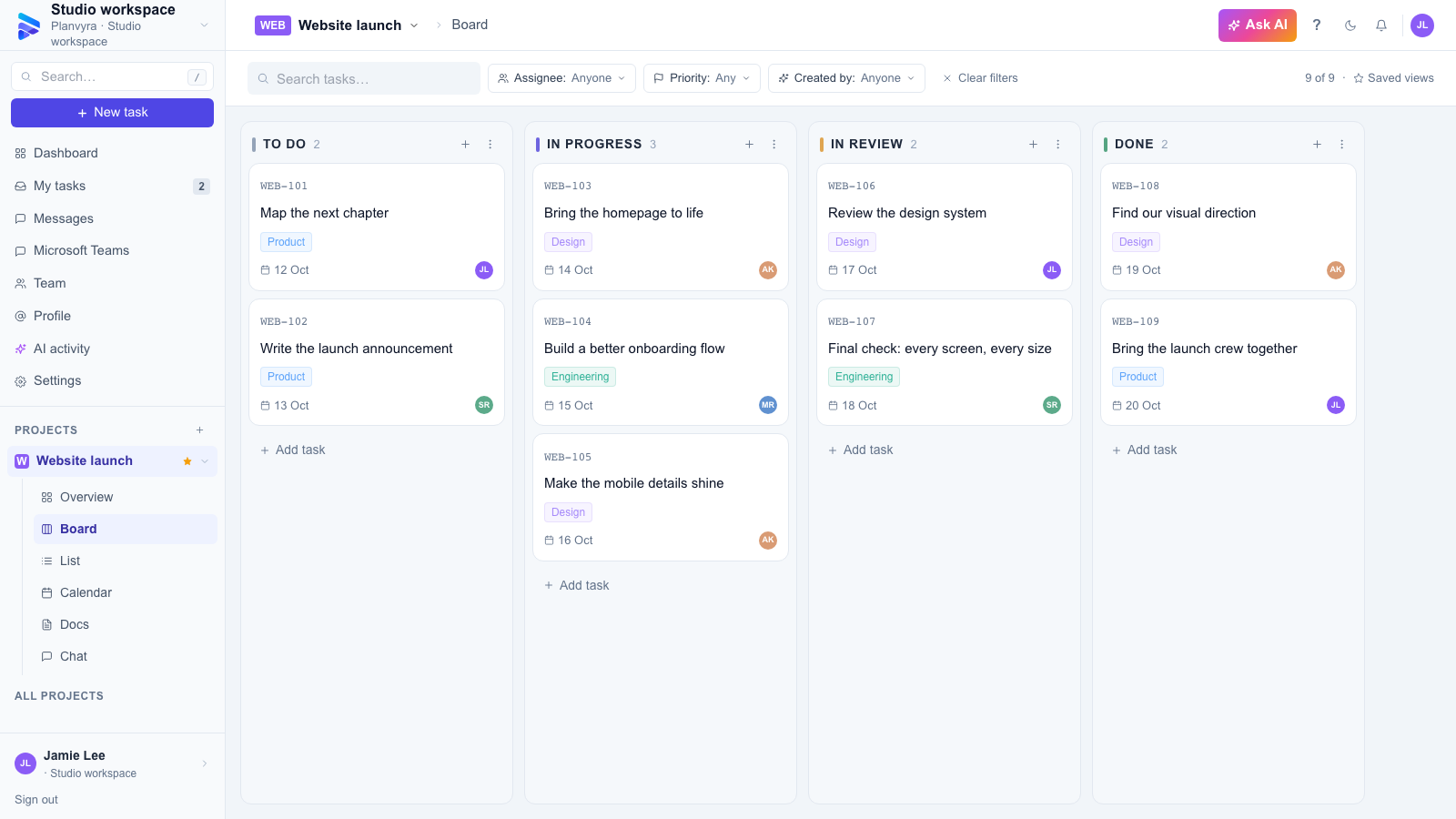
Flexible boards that turn big plans into clear next steps.
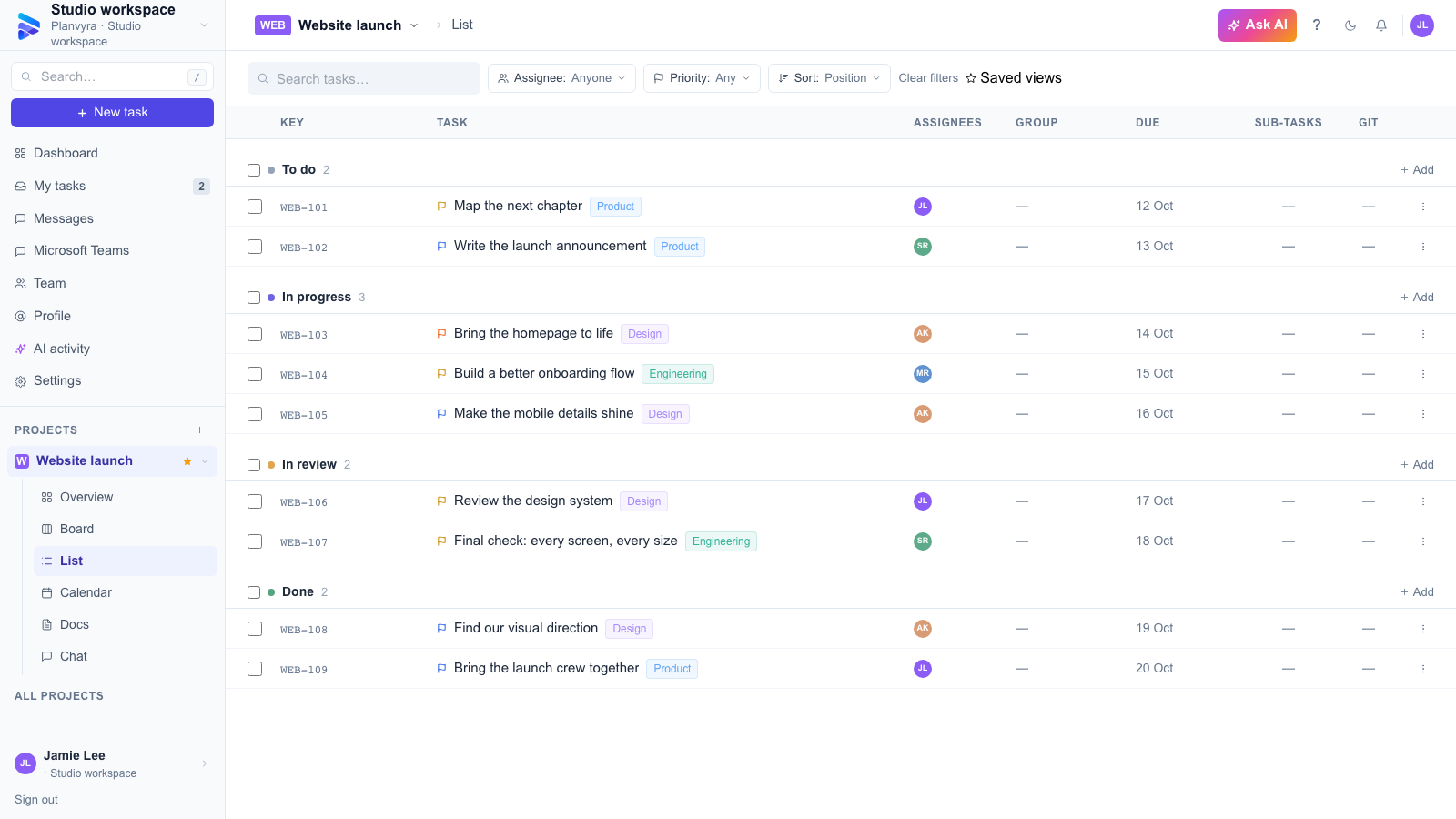
Scan priorities, owners, and dates in a focused task list.
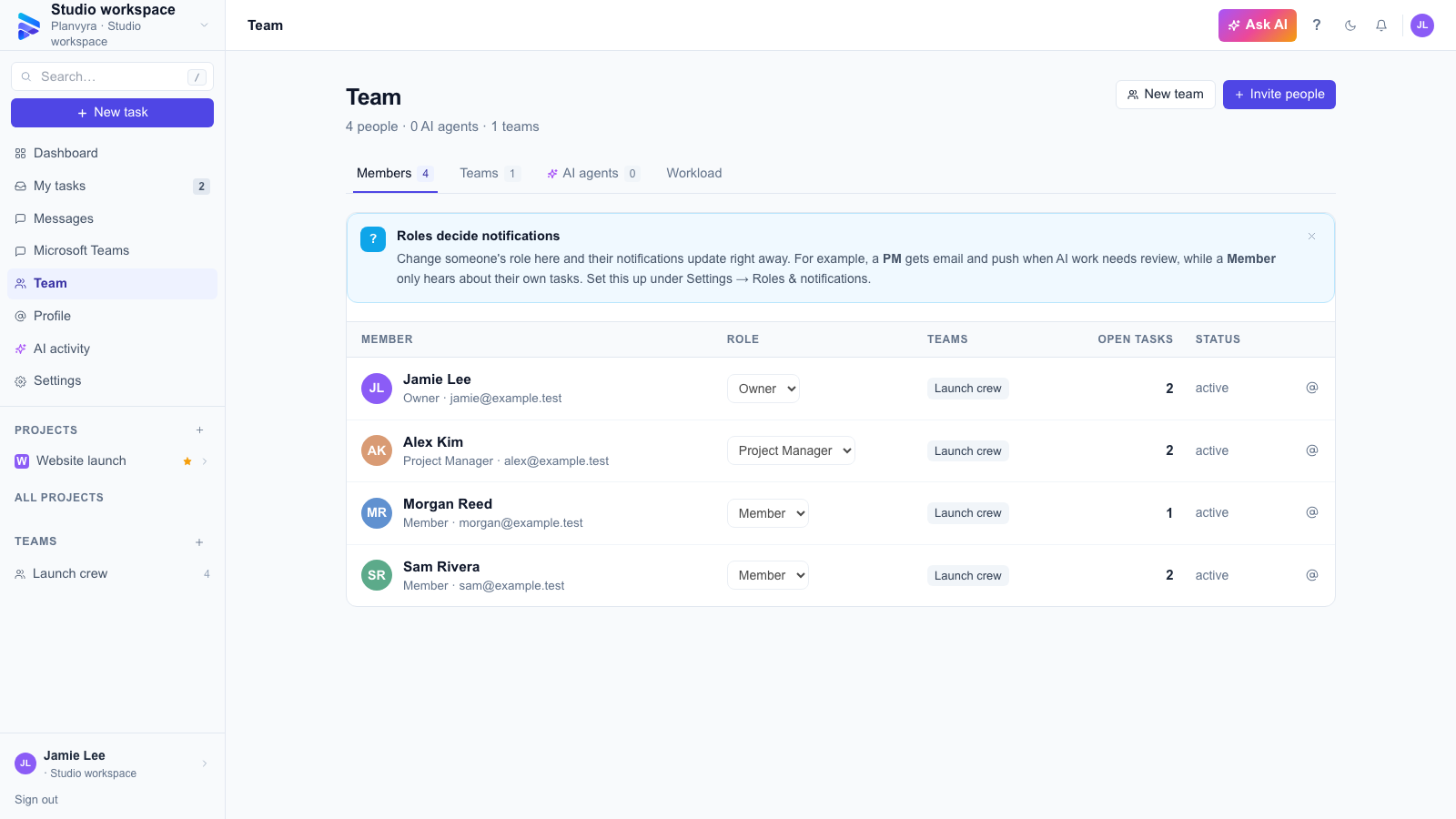
Your people, roles, and open tasks, all in one place.
Product screenshots use fictional people and sample project data.
Boards, lists, and calendars keep the big picture and the next step together.
Keep decisions in docs and conversations alongside the work they belong to.
Connect compatible agents through MCP to share project context and record their work.
PEOPLE FIRST. PROGRESS FOLLOWS.
From the first collaborator to your next department, make teamwork feel a little more effortless.
Invite your team, define roles, and choose who belongs in each project. Clear ownership starts here.
Catch assignments, mentions, and project updates. Choose your notification preferences, with an optional sound when something new arrives.
“The final designs are ready for your eyes.”
Launch website · Just nowHomepage review moved to Done.
Launch website · 2 min agoAI WORK. HUMAN OVERSIGHT.
Connect a compatible AI assistant to Planvyra’s MCP server. Give it the project context, keep its progress on the task, and bring completed work back to your internal team for review.
Requires an MCP-compatible client. Your assistant performs the work; Planvyra records its reported progress and evidence.
Make validation clear and check the mobile layout.
Form validation checks passed.
Changed files and test results recorded.
Review the implementation and evidence.
Approve the result or request changes.
MCP tokens follow your workspace and project permissions. Revoke a connection when you no longer need it.
BUILT ON TRUST
Your workspace is where ideas become real. Keep access intentional, accounts protected, and your team’s data in good hands.
Explore data protectionCloudflare D1 and R2 encrypt stored database records and files with AES-256.
Workspace and project permissions control who can see and manage your work.
Enable two-factor authentication and manage your active sessions.
Storage encryption applies to the hosted Cloudflare service. It is not end-to-end encryption. See how protection works ↗
THE AGENCY PERSPECTIVE
Built for the people turning
client ideas into great work.
Illustrative reviews · Fictional teams and agencies, based on supported product workflows.
Our AI assistant can turn a client brief into first-pass work and keep its progress on the task. The designer gets the context and the result together, ready for review.
When the coding agent finishes a change, it records what changed and which checks ran. Moving the task into Review gives our engineers a clear place to pick up the handoff.
AI can help with the research and the first draft, while the task keeps the brief, progress, and open questions visible. Our team still reviews the work before it goes to the client.
A LITTLE ROOM TO GROW
Start with your next idea. Find the right fit as your Agency grows.
Finding the right plans for you…
A FEW GOOD QUESTIONS
More on getting started,
growing, and staying in control.
Planvyra is a web-based project management tool for teams and agencies. It brings task boards, lists, calendars, shared documents and project conversations into one workspace, with role-based access and compatible MCP agent connections.
Yes. Create an account without entering card details, set up your workspace, and start organising your projects. When you need more capacity, compare current plans in Agency billing.
Invite collaborators, organise teams, assign work, and choose project access. Workspace roles define what each person can do. Choose a plan with higher limits as your Agency grows.
Planvyra checks workspace and project access on the server and supports two-factor authentication. On the hosted Cloudflare service, D1 and R2 encrypt stored data with AES-256. This is provider-managed storage encryption, not end-to-end encryption. Read the security overview.
Yes. Set your personal notification preferences and turn notification sounds on or off. Email and browser push depend on your workspace’s enabled services and, for push, your browser’s permission.
Create a connection in Settings → MCP tokens and add it to a compatible AI client. With the permissions you grant, the agent can read project context, record progress and verification evidence, and move a task into Review after the workflow checks pass. Your team reviews the result. The connected agent performs the work; Planvyra holds the shared context and records. See the AI review workflow.
YOUR NEXT CHAPTER STARTS HERE
One idea. A few good people.
And a workspace that brings it all together.